
Microsoft Teams Rooms: Expert AV Consultancy UK Services
What is a Microsoft Teams Room?
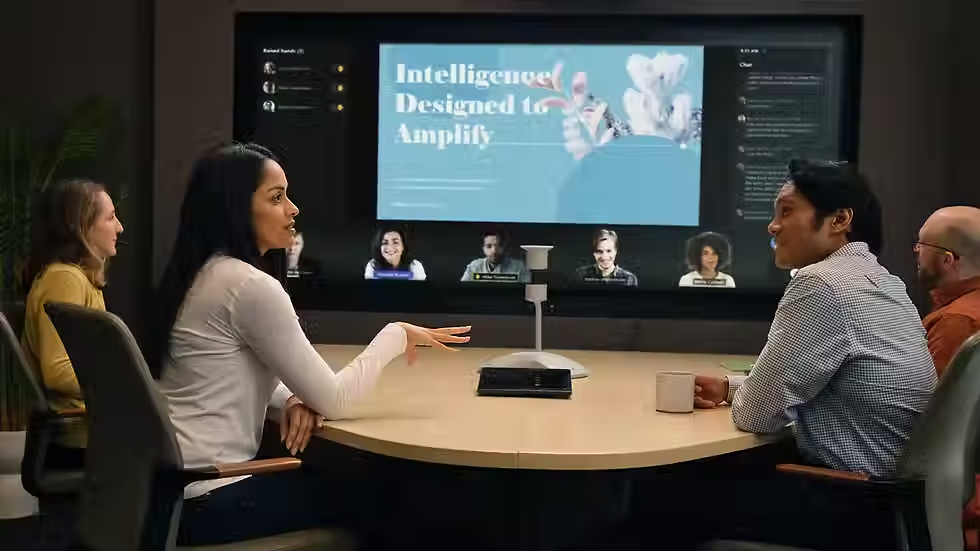
A Microsoft Teams Room is a purpose-built meeting room designed to deliver reliable, high-quality hybrid meetings using Microsoft Teams. Unlike ad-hoc setups that rely on laptops and cables, Teams Rooms use certified hardware, integrated audio and video, and a simple touch controller so meetings start on time and run smoothly.
For most organisations, Teams Rooms become the standard way staff collaborate — whether participants are in the room, working remotely, or joining from other offices.
.

How does a Microsoft Teams Room work?
A Teams Room uses a dedicated compute device connected to:
-
One or more displays
-
A certified camera
-
Professional microphones and speakers
-
A touch control panel
Meetings are joined with a single tap. Content sharing, camera control and audio settings are all managed automatically in the background.
The result is a consistent experience, regardless of who is using the room.

How much does a Microsoft Teams Room cost in the UK?
There’s no single price, but as a guide:
-
Small meeting rooms: from £4,000–£6,000
-
Medium rooms: £7,000–£12,000
-
Large rooms / boardrooms: £15,000+
Costs depend on:
-
Room size and acoustics
-
Number of displays
-
Microphone and camera requirements
-
Installation complexity
-
Ongoing support and monitoring
In our experience, the biggest cost differences come from design quality, not just hardware choice.

Why professional design and installation matters
Teams Rooms are powerful, but only when designed correctly. Poor installations often lead to:
-
Echo and poor audio pickup
-
Cameras that don’t capture everyone clearly
-
Complicated user experiences
-
Rooms that staff avoid using
Professional AV design ensures the technology fits the room, the people using it, and the way meetings actually run.

Can Microsoft Teams Rooms be used with other platforms?
Yes. While Teams Rooms are optimised for Microsoft Teams, many setups can also support:
Zoom
Webex
BYOD (Bring Your Own Device) connections
This flexibility is especially important for organisations working with external partners or clients on different platforms.

Ongoing support for Teams Rooms
Meeting rooms are now mission-critical. Without support, even small issues can quickly disrupt productivity.
Professional Teams Rooms support typically includes:
-
Proactive system monitoring
-
Software and firmware updates
-
Remote diagnostics
-
On-site support when required
This ensures rooms remain reliable long after installation.
At Collab AV, we design Teams Rooms around usability, consistency and long-term reliability. Our focus isn’t just on installing technology — it’s on creating meeting spaces people trust and actually use.
How Collab AV approaches Microsoft Teams Rooms
Why Choose Collab AV?
✔ Independent, UK-based experts in workplace technology
✔ Experience with large, multi-site deployments
✔ Person-first approach that prioritises usability
✔ Scalable, secure and fully supported solutions
✔ Proven results across industries including corporate, education and public sector
Ready to transform the way your people communicate?
Let Collab AV deliver the right communication tools to power your workplace of the future.
Making life easier through smarter, simpler tech
Let’s explore your ambitions—together we can create a workplace where collaboration thrives, people stay engaged, and productivity flourishes